You are here: PS Series Group Administration > Group Customization > Using SNMP to Monitor a Group > Configuring SNMP Read-Only Access
To configure SNMP read-only access, click:
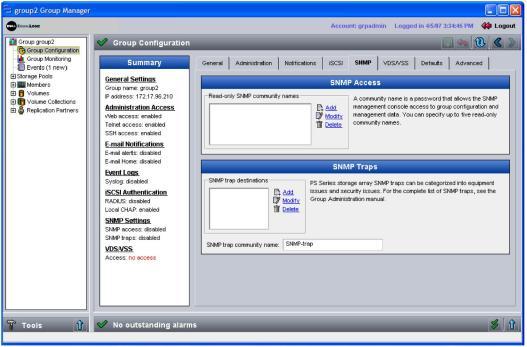
Group Configuration > SNMP tab
The Group SNMP window appears (Figure 16: Group SNMP ).
To allow access from an SNMP management console to the group, you must specify at least one read-only SNMP community name, which acts as a password.
To specify an SNMP community name, in the SNMP Access panel click Add. In the Add list item dialog box, specify a unique SNMP read-only community name, up to 64 alphanumeric characters, and click OK. You can specify up to five read-only community names for the SNMP agent to use to authenticate SNMP requests.
To modify or delete a community name, select the name and click Modify or Delete, as desired.