You are here: PS Series Group Administration > Volume Management > Managing Access Controls for Volumes and Snapshots > Creating Access Control Records
To create an access control record, click:
Volumes > volume_name > Access tab
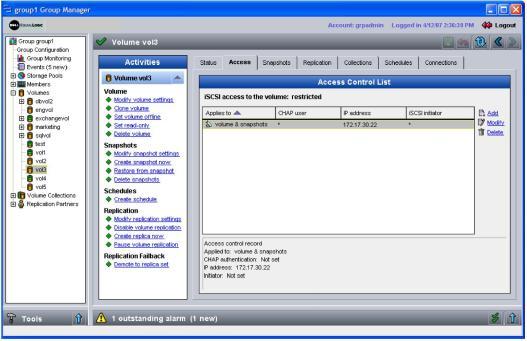
The Volume Access window appears (Figure 16: Volume Access ), displaying the access control records for the volume and its snapshots.
In the Access Control List panel, click Add. The Add Access Control Record dialog box appears (Figure 17: Add Access Control Record ).
Figure 17: Add Access Control Record
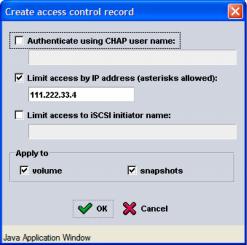
For unrestricted access (not recommended), do not select any access methods.
To restrict access, select the access method and specify the required information:
Note: If using IP addresses or iSCSI initiator names to restrict access, be sure to create an access control record for each IP address or iSCSI initiator name presented by an authorized host.
In addition, select whether you want the access control record to apply to the volume, its snapshots, or both (the default).
After entering the access control information, click OK to create the record.