You are here: PS Series Group Administration > Member Management > Managing Control Modules > Displaying Control Module Status
To display the control module status, click:
Members > member_name > Controllers tab
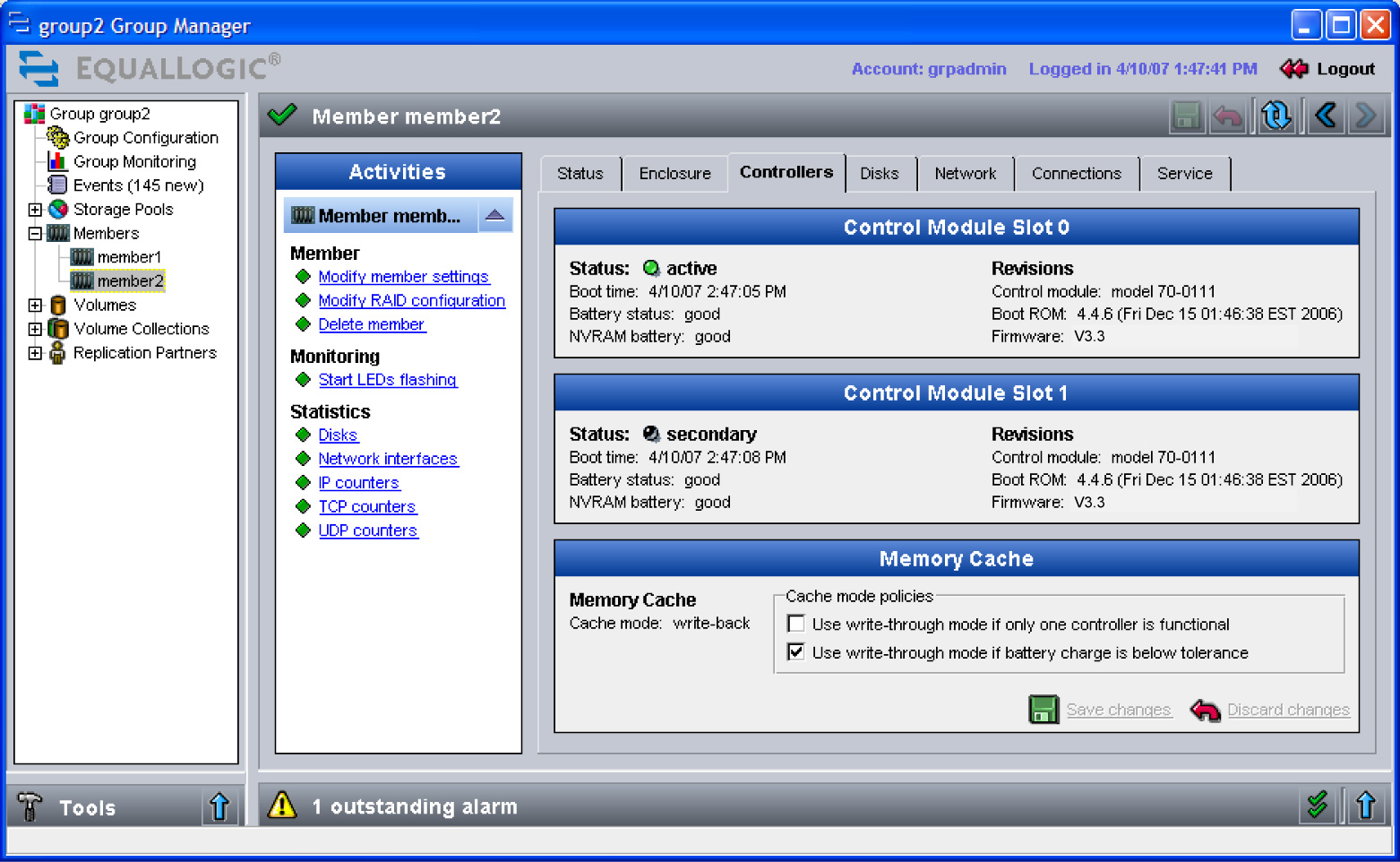
The Member Controllers window appears (Figure 14: Member Controllers ).
Each Control Module Slot panel shows the following information:
An empty slot means that a control module is not installed or has failed.
Note: If a control module fails, see Handling Failed Control Modules for more information.
Control module cache battery status is shown in Table 4: Cache Battery Status. If the cache battery charge drops below acceptable limits and the low-battery-safe policy is enabled, the active cache will automatically switch to write-through mode. Note that write-through mode may have a negative impact on performance.
|
Status |
Description |
|---|---|
|
good |
Battery is fully charged. |
|
failed |
Battery has failed. Note: If the battery status is failed or missing, or if the status is low voltage or low voltage, charging status for an extended period of time, contact your array support provider for information on how to proceed. |
|
missing |
Battery is missing. |
|
low voltage |
Battery is below the limit for normal operation. |
|
low voltage, charging |
Battery is charging but is still below the limit for normal operation. |
|
good, charging |
Battery is charging but has enough charge for normal operation. |
NVRAM coin cell battery status can be one of the following:
If the NVRAM battery on the active control module fails, the active control module will fail over to the secondary. If the array has only one control module and the battery fails, the write cache will operate in write-through mode.
Note: For information on replacing a battery, contact your array support provider.