You are here: PS Series Group Administration > Basic Replication > Displaying Replication Status > Displaying Replica Collections
When you replicate a volume collection, the resulting set of replicas is called a replica collection. All the replica collections for a specific volume collection are called a replica collection set. When complete, a replica collection contains one replica for each volume in the collection and represents the contents of the collection volumes at the time the replication operation was initiated.
To display the replica collections for a volume collection, click:
Volume collection > collection_name > Replicas tab
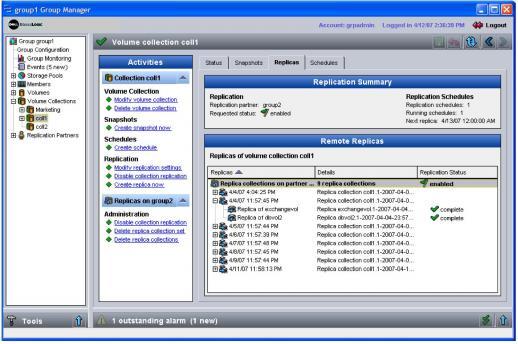
The Volume Collection Replicas window appears (Figure 20: Volume Collection Replicas ).
Figure 20: Volume Collection Replicas
The Remote Replicas panel shows the volume collection’s replication configuration and the replica collection set for the volume collection. Expand a specific replica collection to view the individual replicas.
Select the replica collection set to display related tasks in the Activities panel. For example, you can disable replication to the partner, delete an individual replica collection, or delete the entire replica collection set.
Select a specific replica to display related tasks in the Activities panel. For example, you can delete a replica.