You are here: PS Series Group Administration > Storage Pool Management > Merging Storage Pools
You can merge any storage pool except the default pool into any other existing pool.
Merging a storage pool moves the pool members and all their volumes and snapshots into the destination pool. The empty pool is then deleted.
Note: You cannot create a new pool by merging pools.
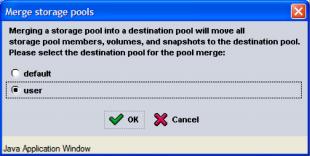
To merge a pool, in the far left panel, expand Storage pools and select the pool you want to merge into another pool. In the Activities panel, click Merge storage pool.
The Merge Storage Pools dialog box appears (Figure 9: Merge Storage Pools ).
Select the destination pool and click OK.