You are here: PS Series Group Administration > Group Customization > Modifying Access Controls for Windows Services
Microsoft Windows systems that are running Microsoft services, such as Virtual Disk Service (VDS) and Volume Shadow Copy Service (VSS), must be able to access a PS Series group for management operations.
Note: Access controls set up in the group must match the access controls on the Windows system, otherwise Microsoft service access will fail.
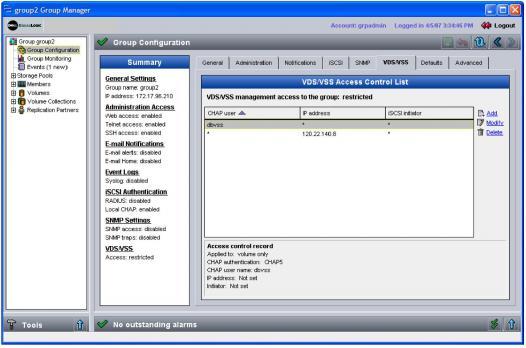
To use the Group Manager GUI to modify an access control record for Microsoft service access to the group, click Group Configuration > VDS/VSS tab.
The Group VDS/VSS window appears (Figure 17: Group VDS/VSS ).
Select a record to display details.
To add a record, click Add.
In the Add Access Control Record dialog box (Figure 18: Add Access Control Record ), specify an IP address, iSCSI initiator name, or CHAP user name (or any combination). A Windows system must meet all the requirements specified in an access control record in order for Microsoft services to access the group. For example, the CHAP user name stored on the server must match the CHAP user name in the record.
Figure 18: Add Access Control Record
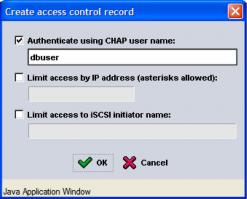
After entering the information, click OK. The access control record will appear in the Group VDS/VSS window.
Note: If you are using CHAP for authentication, be sure to set up a matching local CHAP account, as described in Using CHAP to Control iSCSI Access to Volumes.
To modify or delete an existing access control record, select the record and click Modify or Delete.