You are here: PS Series Group Administration > Group Customization > Controlling Performance Load Balancing
A PS Series group provides several types of automatic load balancing across storage pool resources, including capacity, network connection, and performance load balancing.
When performance load balancing is enabled, the group attempts to place volume data on a pool member with a RAID configuration that is optimal for volume performance. If you disable performance load balancing, volume data is balanced across the pool members only by capacity.
Note: Manually assigning a RAID preference to a volume or binding a volume to a member will disable automatic performance load balancing for that volume. See Setting a Volume RAID Preference and Binding a Volume to a Specific Member for more information.
To enable or disable performance load balancing, click:
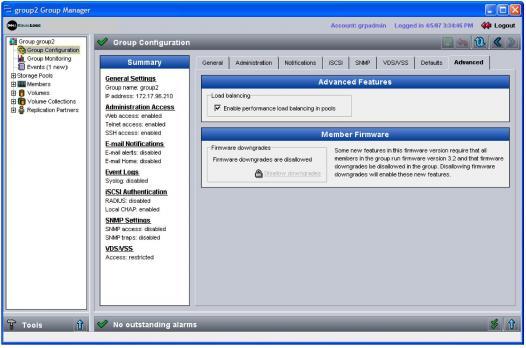
Group Configuration > Advanced tab
The Group Advanced window appears (Figure 20: Group Advanced ).
In the Advanced Features panel, select Enable performance load balancing in pools to enable automatic load balancing. De-select the checkbox to disable it.